
Pinellas County Jail Roster Overview
The Pinellas County Sheriff's Office, led by Sheriff Bob Gualtieri, operates the county jail and maintains the public arrest inquiry system. The tool is formally called the "Who's in Jail" or arrest inquiry search and lives at pinellassheriff.gov/InmateBooking/Inquiry.aspx. It covers all people currently in custody at the Pinellas County Jail complex, plus anyone released within the last 30 days. The page updates periodically, so very recent bookings may take time to appear. PCSO cautions that the data is informational and may not reflect every charge decision made by the State Attorney after arrest.
The arrest inquiry does not cover inmates held by other agencies. People in Florida state prison are tracked by the Florida Department of Corrections. Federal detainees appear in the Bureau of Prisons inmate locator. Immigration detainees may be in federal facilities not reflected in the PCSO system. If a search returns no results, the person may have been transferred, released over 30 days ago, or is in a different custody system. For releases older than 30 days, contact PCSO through their records portal or call the jail information line at (727) 464-6415.
The booking record is a snapshot of custody at the time of arrest and processing. It does not show the final outcome of a criminal case. For disposition, plea, sentencing, and case status, use the Clerk of the Circuit Court and Comptroller court records search at courtrecords.mypinellasclerk.gov. The court case number shown on a charge report can be entered directly into the Clerk's portal to find the associated case docket.
The Sheriff's office describes the system as an arrest/booking inquiry, not a formal criminal record. An arrest entry documents custody, not guilt. Charges may be dropped, reduced, or result in acquittal after the booking record is created. PCSO places a disclaimer directly on each charge report to that effect.
How to Use the Pinellas County Inmate Roster
The PCSO arrest inquiry page is straightforward. You need at least one of three things to run a search: a last name, a docket number, or a booking date. Leaving all three empty will not return results. The steps below walk through a name-based search, which is how most people start.
- Open the portal. Go to the PCSO arrest inquiry at pinellassheriff.gov/InmateBooking/Inquiry.aspx. The page loads a form with several fields and filter options.
- Enter the last name. Type the person's last name in the Last Name field. First name is optional but narrows results when the last name is common. The portal warns that a name, docket number, or booking date is required before searching.
- Use filters if needed. You can narrow results by race, sex, arresting agency, charge type, or arrest type. These are optional. If you are unsure of the arresting agency, leave it set to any. City police departments such as Clearwater PD, St. Petersburg PD, Largo PD, and Tarpon Springs PD all book arrestees into the county jail.
- Check the alias box. If the person may use another name, check "Include Alias search." This searches alternate names on file.
- Click Search and review results. Results appear as a list of matching names with basic booking information. You can sort by name or by most recent arrest and choose to display 25, 50, or 100 entries per page.
- Click the name to open the full profile. The charge report shows full booking details, demographics, charges, bond amounts, custody status, projected release date, and other fields described in the next section.
Note: the portal's address inquiry accepts partial addresses. PCSO instructs users not to enter a full street address; a broad example like "100 Main" works better for address-based searches.
Pinellas Inmate Search Fields on the Roster Portal
The PCSO arrest inquiry form offers more filters than a basic name search. Understanding each field helps you narrow results when you are looking for a specific person among many matches. The table below lists every input field on the inquiry form.
| Field Label | Type | Required | Notes |
|---|---|---|---|
| Last Name | Text | Conditional | Last name, docket number, or booking date is required. Enter at least one. |
| First Name | Text | No | Optional; narrows results when last name is common. |
| Race | Dropdown | No | Any, Black, White, Hispanic, Asian, Unknown. |
| Sex | Dropdown | No | Any, Male, Female. |
| Docket # | Text | Conditional | Can search by docket number alone; satisfies the required-field rule. |
| Booking Date | Date / Text | Conditional | Satisfies required-field rule; returns all bookings on that date. |
| Filter by Agency | Dropdown | No | Bay Pines VA Police, Belleair Beach, Belleair PD, Campus Police, Clearwater PD, Florida Highway Patrol, Florida Marine Patrol, Gulfport PD, Indian Shores PD, Kenneth City PD, Largo PD, PCSO, Pinellas Park PD, St. Pete Beach, St. Petersburg PD, Tarpon Springs PD, Treasure Island PD. |
| Filter by Charge | Dropdown | No | Large charge list; examples include Battery, Burglary, DUI, Failure to Appear, Murder, Probation Violation, Traffic Warrant. |
| Filter by Arrest Type | Dropdown | No | 948.06-VOP, Adult Warrant, DEA/ATF/FBI, Federal Marshal, Off Bond, On View, Other, Paperwork Only, Remand/Return, Traffic, Traffic Warrant. |
| Include charge in response | Checkbox | No | Adds charge details to the result list view. |
| Include Alias search | Checkbox | No | Searches alias names on file for matching persons. |
| Inquiry by Address | Text | No | Partial address only; do not use full address. Example: "100 Main." |
| Sort By | Radio | No | Name; Most Recent Arrests. |
| Number of responses per page | Dropdown | No | 25, 50, or 100 results per page. |
The "Who's in Jail" search at PCSO is the official free tool for Pinellas County inmate searches. The agency filters are useful because city police departments across the county all book into the same county jail. A Clearwater PD arrest and a PCSO arrest both end up at 14400 49th Street North.
What a Pinellas County Inmate Profile Shows
After clicking a name in search results, the system opens a Subject Charge Report. This is the official PCSO arrest/booking record for that individual booking. The report header includes a disclaimer that the arrest and booking data should not be used to determine actual criminal record, and that the final disposition comes from the Pinellas Clerk. The table below lists the fields that appear on a charge report based on publicly available samples.
| Field | What It Shows |
|---|---|
| Name | Full name as entered at booking. |
| Docket No. | PCSO booking/docket number assigned at intake; used to look up older records. |
| Booking Date | Date the person was booked into the Pinellas County Jail. |
| Arresting Agency | The law enforcement agency that made the arrest; may be PCSO or a city department. |
| Address / City / State / Zip | Last known address on file; may show EXEMPT on protected profiles. |
| Race / Sex / DOB / Place of Birth / Arrest Age | Demographic data from booking; DOB may be EXEMPT on protected records. |
| Eyes / Hair / Complexion / Height / Weight | Physical description recorded at booking. |
| Scars, Marks and Tattoos | Identifying marks noted during booking intake. |
| Cell Location / Status | Current housing assignment or release status; shows "RELEASED" with date and time if released. |
| Projected Release Date | Estimated release date for sentenced inmates; shows NONE for pretrial detainees or when not set. |
| Commissary Balance | Current commissary account balance; may reflect deductions for the $20 subsistence fee. |
| SPIN | State-assigned identifier for the subject within Florida criminal justice systems. |
| Booking Type | Nature of the booking event; e.g., new arrest, warrant, remand. |
| Aliases | Other names the person has been booked under, if any. |
| Charge Number | Sequential charge number within this booking. |
| Agency Report Number | The arresting agency's internal report number for the incident. |
| Offense Description | Plain-language charge name as entered at booking. |
| Statute | Florida statute or ordinance citation for the offense. |
| Amended Charge Description / Amended Charge Statute | If the State Attorney amended the charge, the updated description and statute appear here. |
| Court Case Number | The Clerk's case number; enter this into the Clerk court records portal to find the case docket. |
| Bond Assessed | Bond amount set by the court for this charge. |
| Bond Amount Due | Remaining bond obligation; may differ from assessed amount. |
| Charge Status | Current status of the charge in the PCSO system. |
| Arrest Type | How the arrest occurred: On View, Adult Warrant, Traffic Warrant, 948.06-VOP, Federal Marshal, Off Bond, Remand/Return, or other categories. |
| OBTS | Offender Based Transaction System number; a Florida criminal justice tracking identifier used across agencies. |
Protected data appears as EXEMPT rather than blank when a court order or statute shields personal information. This is Florida public-records redaction in action, consistent with Florida Statutes §119.0714, which governs court file and official record exemptions.
Pinellas County Jail Facilities and Contact
PCSO operates the Pinellas County Jail at 14400 49th Street North in Clearwater, near the Pinellas County Justice Center. The jail complex contains several buildings that share the same mailing address. Housing divisions hold felons, misdemeanants, sentenced inmates, pretrial detainees, and specialty populations including medical and mental health cases. The PCSO inmate healthcare facility within the complex has 432 beds, opened in 2007, and covers 165,200 square feet. It includes x-ray, dialysis, dental chairs, 20 negative-pressure isolation cells, a mental health clinic, a trauma clinic, attorney visitation booths, and a video courtroom.
Pinellas County Jail
14400 49th Street North
Clearwater, FL 33762-2877
(727) 464-6415
No face-to-face visits; remote video only through Smart Communications
Pinellas County Sheriff's Office
Mailing: P.O. Drawer 2500
Largo, FL 33779-2500
(727) 582-6200 (non-emergency)
Visitation questions: (727) 464-7467
The jail complex sits near the Pinellas County Justice Center at 14250 49th Street North. Both are in the same criminal justice corridor east of Clearwater, but they are separate buildings at separate addresses. The Justice Center handles criminal court records and criminal court customer services through the Clerk; the jail at 14400 handles custody and bookings through PCSO.
The PCSO inmate information page covers mail, messaging, money, commissary, phone use, the subsistence fee, programs, and links to the inmate handbook. The 2025 Pinellas County Jail inmate handbook is available as a PDF from the PCSO site and covers all facility rules, program access, and rights.
The PCSO inmate healthcare page details the jail medical section, which provides health services for all inmates under National Commission on Correctional Health Care (NCCHC) standards.
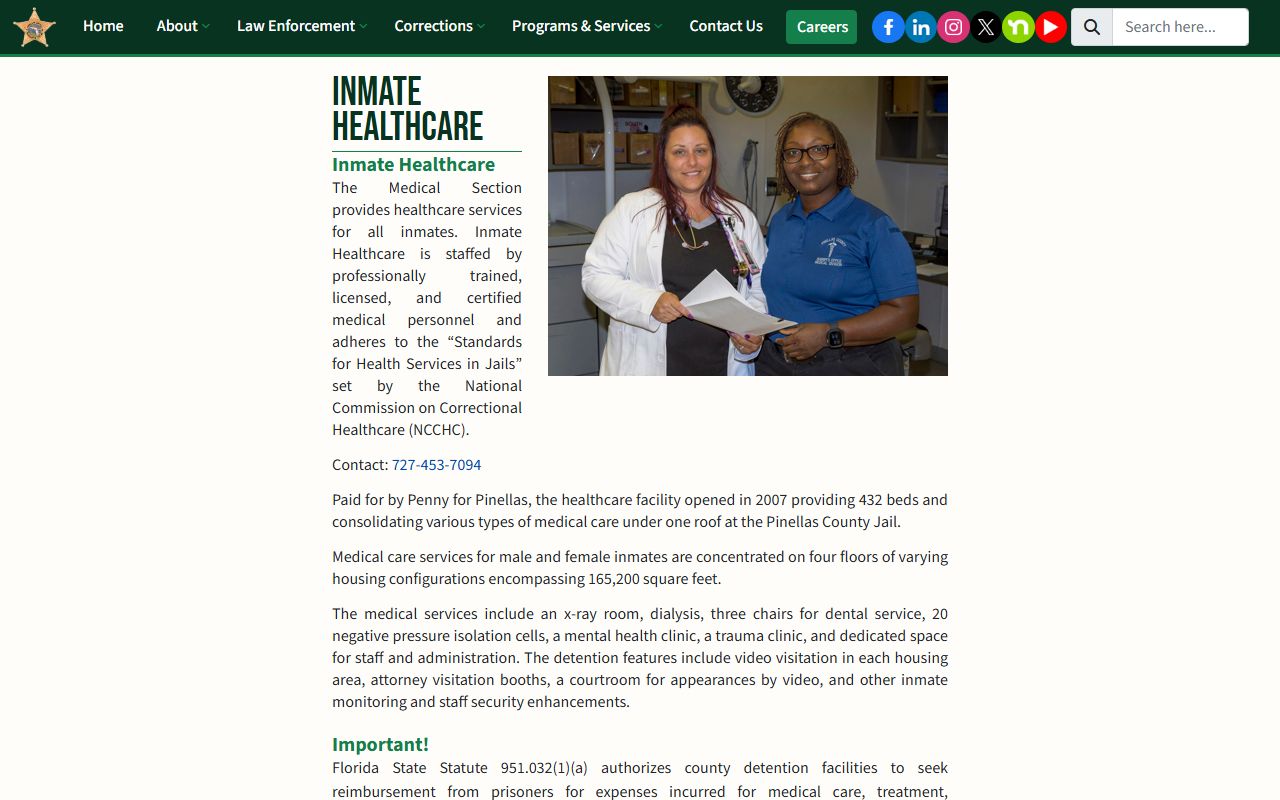
The healthcare facility's 432 beds, mental health clinic, and specialty care units reflect the scale of medical services provided at the Pinellas County Jail. PCSO identifies the Sheriff's Office as a Triple Accredited Agency covering corrections, correctional health care, and law enforcement.
Booking and Bond Process in Pinellas County
When a person is arrested in Pinellas County, the arresting officer transports them to the Pinellas County Jail for booking. The booking process includes photographing, fingerprinting, recording identifying information, reviewing charges, and classifying the detainee for appropriate housing. Multiple agencies book people into the county jail, so the arresting agency field on a charge report may show PCSO, Clearwater PD, St. Petersburg PD, Largo PD, Tarpon Springs PD, or another city department.
After booking, most defendants appear before a judge within 24 hours for a first-appearance hearing. At first appearance, the judge reviews probable cause, advises the defendant of charges, and sets bond or conditions of release. Bond amounts shown on the charge report reflect what the court set at or after that hearing. Bond may be posted through a surety (bail bond company) or by cash deposit with the jail. Once bond is posted or if the person is released on recognizance, the cell location on the roster changes to a released status.
One charge PCSO applies to almost every booking is the $20 inmate subsistence fee. Under Florida Statutes Chapter 119 and PCSO policy citing Florida Statutes §119.07 and §951.033, PCSO charges all non-federal inmates a nonrefundable $20 administrative subsistence fee at booking. Exceptions include in-transit detainees, DOC writ returns, walk-through bookings, paperwork-only holds, and Marchman Act admissions. If the inmate account lacks funds, a lien is placed and remains for three years. This is why a commissary balance shown on a fresh charge report may be negative or lower than deposited funds.
The arrest type field explains the custody basis. "On View" means a deputy or officer observed the offense and arrested on the scene. "Adult Warrant" or "Traffic Warrant" means an existing warrant triggered the arrest. "948.06-VOP" refers to a violation of probation under Florida Statutes §948.06. "Federal Marshal" means the person is being held for federal authorities. "Remand/Return" reflects a court-ordered return to custody.
The official Sheriff Bob Gualtieri biography page on the PCSO site describes the Sheriff's career and responsibilities, including oversight of the county jail and the arrest inquiry system.
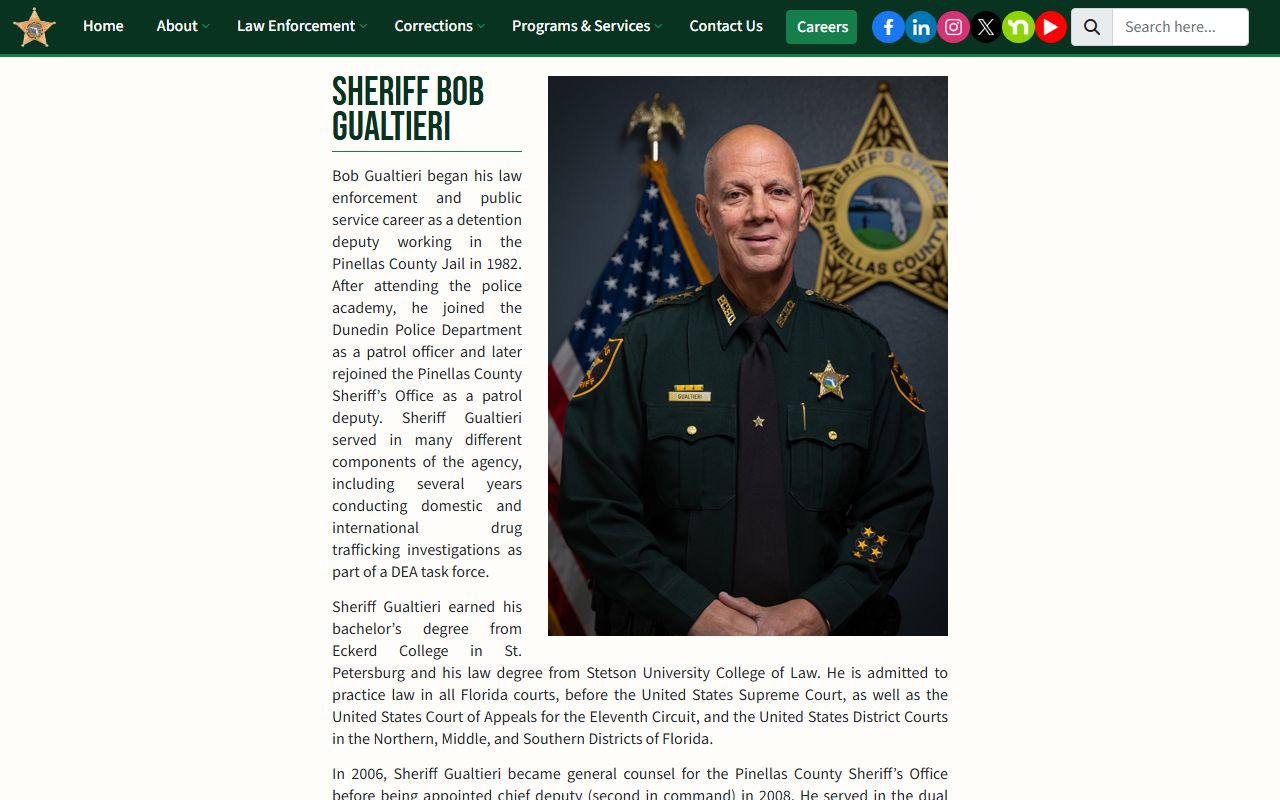
Sheriff Gualtieri began as a detention deputy at the Pinellas County Jail in 1982, was appointed sheriff in 2011, and has been re-elected through 2024. His office is the custodian of jail records and the arrest inquiry database.
The PCSO arrest inquiry portal, also called "Who's in Jail," is the official Pinellas County inmate search tool for finding current inmates and recent releases.
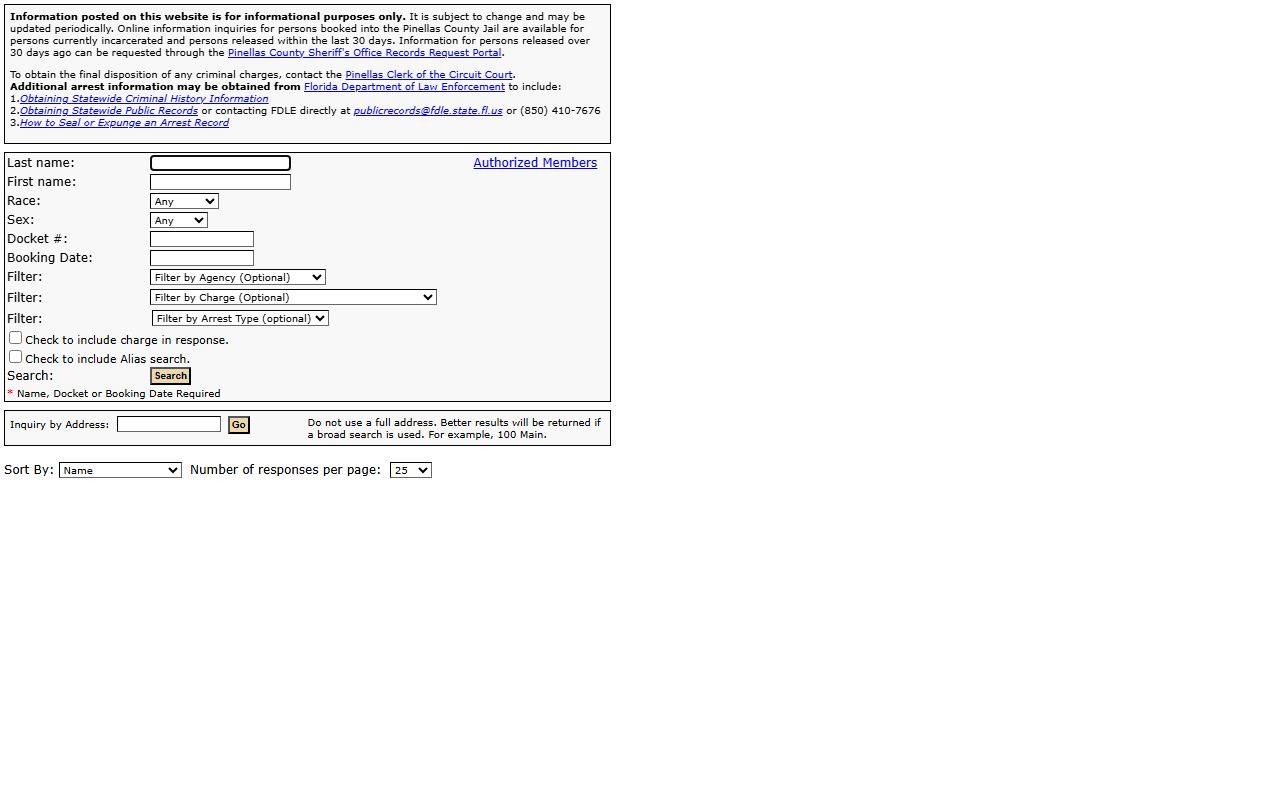
The portal's filter options, including agency, charge type, and arrest type dropdowns, allow users to search across all law enforcement agencies that book into the Pinellas County Jail.
Pinellas County Jail Visitation Hours and Rules
There are no face-to-face visits at the Pinellas County Jail for family and friends. PCSO contracts with Smart Communications to provide kiosks and portable tablets in all housing units. All family and friend visits are remote video visits, either pre-scheduled or video on demand. Each inmate receives four 30-minute pre-scheduled remote sessions or on-demand sessions per week at no charge. Additional sessions can be purchased at $0.16 per minute.
| Visit Type | Who | Schedule / Hours | Notes |
|---|---|---|---|
| Pre-scheduled remote video | Family / friends | 8:00 a.m. to 10:00 p.m., 7 days a week; schedule at least 24 hours ahead, up to 7 days ahead; starts on the hour or half-hour; 30 minutes per session | Requires Smart Communications account. |
| Video on Demand | Inmate initiated | Inmate initiates; receiving end must answer within 3 minutes | Uses inmate tablets or wall kiosks inside the jail. |
| Included weekly sessions | All inmates | Four 30-minute sessions per week | Included at no cost; additional sessions are $0.16/minute. |
| Professional remote visit | Attorneys / professionals | Available through Smart Communications | Requires government ID and Bar Card for attorney account approval. |
| In-person attorney visit | Florida-licensed attorneys | Monday through Friday, 6:00 a.m. to 6:00 p.m. | Florida driver license and Florida Bar card required; out-of-state attorneys and outside-hours visits require advance approval. |
For visitation questions, call (727) 464-7467 or email visitation@pcsonet.com. Special professional visit approvals go to pcj_visitationrequests@pcsonet.com. Smart Communications customer care is reachable at (727) 349-1561, seven days a week from 7:00 a.m. to midnight EST.
The PCSO visitation page details the Smart Communications video visit system, scheduling requirements, attorney visit rules, rates, and customer care contact information for the Pinellas County Jail.
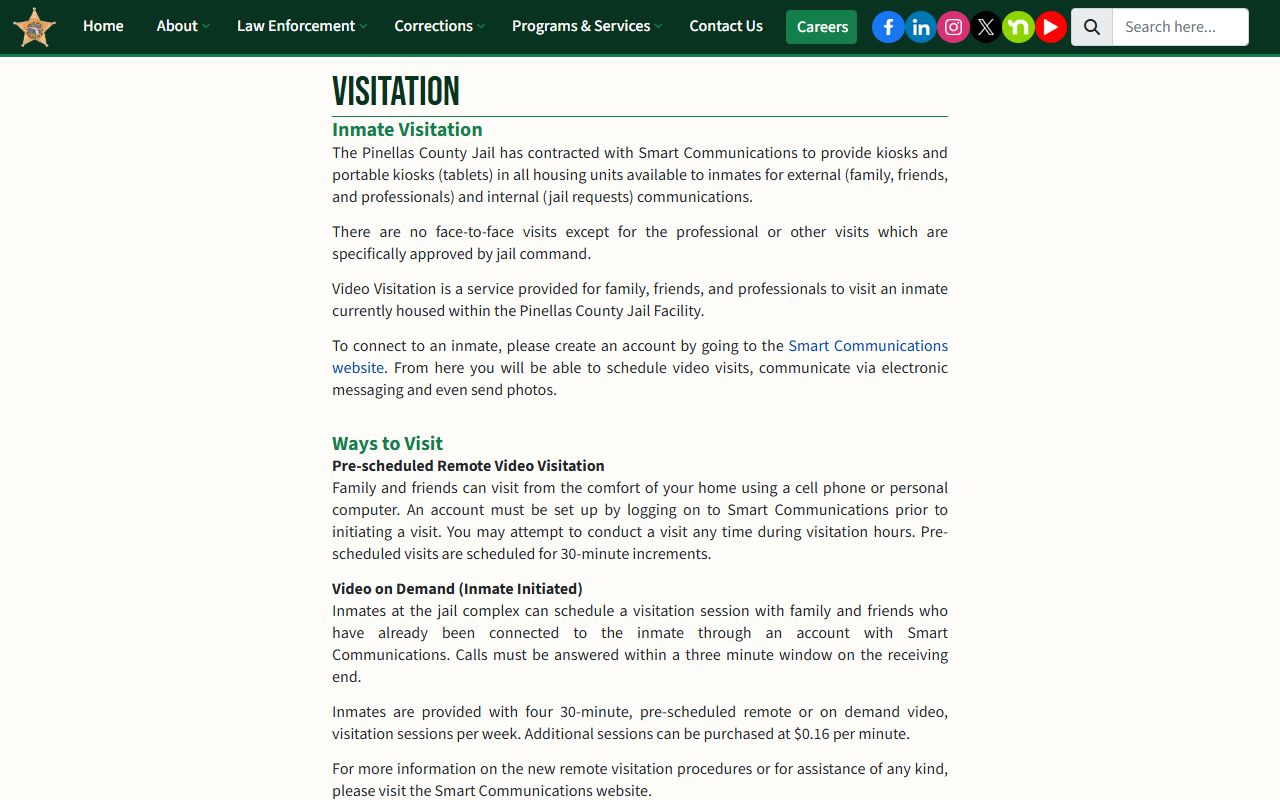
All family and friend visits are remote video sessions booked through Smart Communications; no in-person visits are available for non-attorney visitors at the Pinellas County Jail.
How to Contact an Inmate at the Pinellas County Jail
Sending mail, making deposits, or contacting an inmate each use different vendors and addresses. Personal mail no longer goes directly to the jail building. Instead, it routes through Smart Communications. Legal mail follows a different address and process. Getting the right address for each type of correspondence matters because misaddressed mail is returned to sender.
Personal mail: send to Smart Communications-Pinellas County Jail, Attention To: the inmate's name and ID number, P.O. Box 9204, Seminole, FL 33775-9129. Mail without both the inmate name and ID number is returned. Regular postal mail is scanned by Smart Communications and made available on the inmate's tablet or wall kiosk inside the jail. Send only copies or documents you do not need returned. Track processing and rejections at MailGuardTracker.com.
Legal mail: attorney and legal correspondence goes to LEGAL MAIL, Inmate Name and Docket #, 14400 49th Street North, Clearwater, FL 33762. This is the direct jail address and is separate from the personal mail scanning process.
Outgoing calls: inmates cannot receive incoming phone calls. They initiate outgoing calls using credits through Smart Communications tablets and kiosks. Family and friends can add calling funds at www.smartinmate.com. All inmates receive eight free messages per month according to the PCSO inmate information page.
Commissary and Inmate Funds at the Pinellas County Jail
Commissary packages are handled through iCare, accessible at www.icaregifts.com. Families and friends can order approved items for delivery to the inmate's account through that platform. Not all items are available, and the iCare site reflects current approved products and pricing.
Money deposits to an inmate's account can be made several ways. Money orders must include the inmate's full name, docket number, and housing assignment. They are accepted Monday through Friday, 7:00 a.m. to 5:00 p.m. (excluding holidays), at the Misdemeanor Probation Office and Public Lobby at the jail, or mailed to Pinellas County Jail, Inmate Accounting, 14400 49th Street North, Clearwater, FL 33762. Cash deposit kiosks are available at the Misdemeanor Probation Office and Public Lobby. Online deposits go through ConnectNetwork at www.connectnetwork.com; customer service is available at 877-650-4249.
The $20 nonrefundable subsistence fee deducted at booking can create a negative balance if the account is empty at intake. Deposits made afterward may first satisfy that lien before adding spendable funds. PCSO holds the lien for up to three years under the inmate accounting policy. The commissary balance field visible on a public charge report reflects the account status at the time you view it.
The PCSO inmate information page covers mail, messaging, money deposits, commissary ordering, phone use, the subsistence fee, programs, and links to the inmate handbook for the Pinellas County Jail.
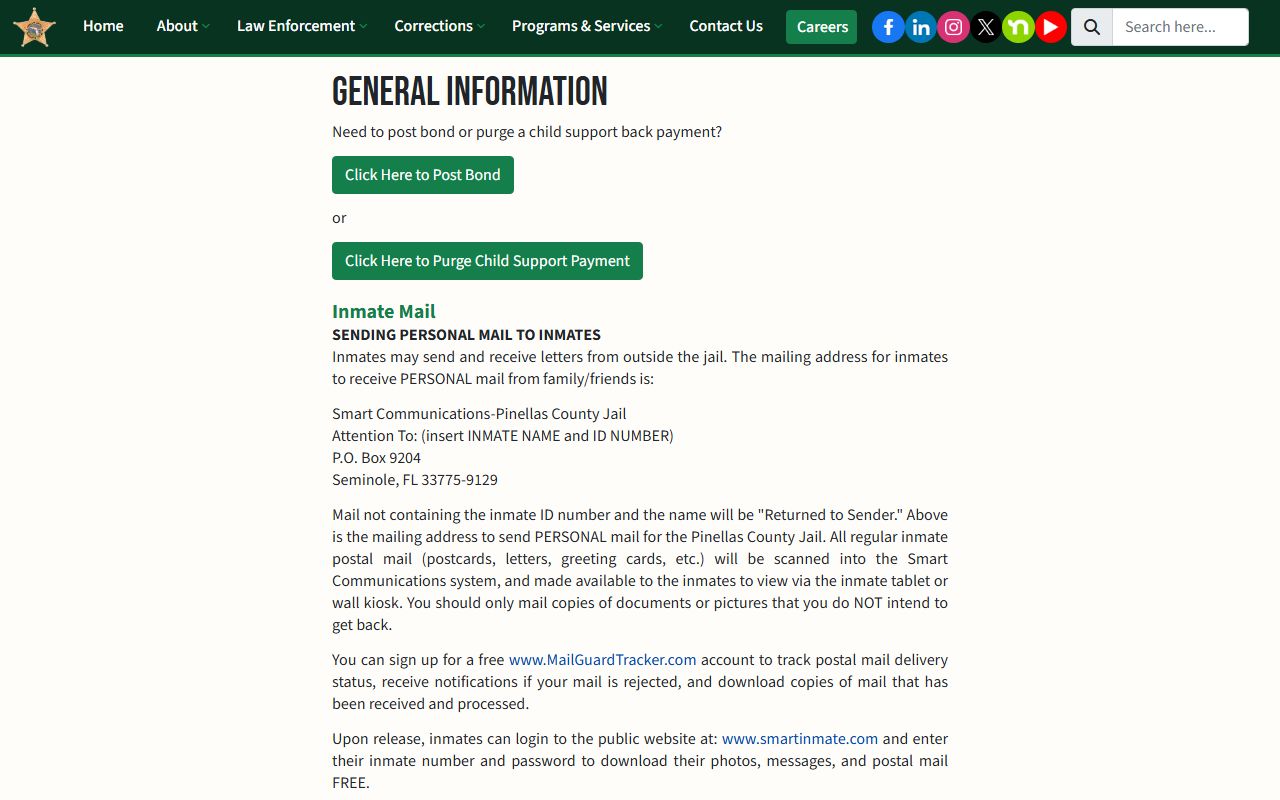
Families navigating the Pinellas County Jail system can use this page to find the correct vendor contacts, mail addresses, and deposit methods before sending funds or correspondence.
Pinellas County Jail Programs and Accreditation
The Pinellas County Jail offers a range of programs for inmates during custody. PCSO reports the jail runs more than 400 program groups and classes each month, including substance abuse prevention, anger management, GED coursework, criminogenic programming, and discharge planning. Chaplain services include more than 90 worship services and religious studies each week. These programs are available to inmates unless safety or security restrictions apply to a particular housing unit or classification.
In 2024, the jail received American Correctional Association (ACA) reaccreditation after auditors visited May 29 through 31, 2024. PCSO describes the Sheriff's Office as a Triple Accredited Agency, holding accreditation in corrections, correctional health care, and law enforcement. The NCCHC standards referenced on the inmate healthcare page set the framework for medical and mental health services. The combination of ACA and NCCHC accreditation means the facility undergoes regular outside review of its operations and care standards.
The healthcare facility's capabilities go beyond basic sick call. The 165,200-square-foot medical complex includes x-ray, dialysis, dental chairs, 20 negative-pressure isolation cells for infectious disease management, a mental health clinic, and a trauma clinic. An attorney visitation booth and video courtroom are also in the facility, allowing legal proceedings to occur without transporting medically complex inmates off-site.
PCSO also maintains a Prison Rape Elimination Act (PREA) reporting structure for the jail. Reporting channels include the Inmate Request Manager, a direct investigation unit free call line from inmate phones, supervisor contact at the jail, a PREA email address, the Administrative Investigation Division, and an online complaint form. These channels are required under federal PREA standards and are listed at pinellassheriff.gov/PREA.
Current Custody vs. Final Case Disposition
The PCSO roster shows custody status. It does not show what happened in court after booking. A charge report reflects what the arresting officer documented at the time of arrest and what PCSO entered at intake. The State Attorney reviews those charges independently and may file different charges, reduce them, add counts, or decline to prosecute. None of those decisions update the arrest report.
To find case outcome, you need the Pinellas Clerk of the Circuit Court and Comptroller. The court case number shown on the charge report is the link. Take that number, go to courtrecords.mypinellasclerk.gov, enter the case number, and the docket will show filings, hearings, plea entries, judgments, and sentences. The full office name is the Clerk of the Circuit Court and Comptroller, and it operates under Clerk Ken Burke at the Clearwater Courthouse, 315 Court Street, Clearwater, FL 33756, phone (727) 464-7000.
The distinction matters legally. An arrest record shows that custody occurred. A court record shows what was proven, admitted, or dismissed. An acquittal or dismissal does not erase the booking record, but it does mean no conviction resulted. For employment, housing, or licensing purposes, the difference between an arrest and a conviction is significant, and those using Pinellas jail roster data must check the Clerk portal before drawing conclusions about criminal history.
Note: for a statewide criminal history background check, FDLE at offender.fdle.state.fl.us is the official source. Neither the PCSO roster nor the Clerk portal serves as a statewide criminal history repository.